 TellPip
Why TellPip transcribes your calls on your computer
Your voice, your documents and your notes stay where they belong: on your computer. Here is how local transcription works, and why it makes all the difference.



A call is one of the most confidential moments of your working day. A client confides a problem they haven’t told anyone else. A colleague thinks out loud about a deal that is still taking shape. Someone mentions a figure that deserves to stay between you.
When we started building TellPip, the first question wasn’t only “how smart can the answers be?”, but “where does all of this go?”. The answer we chose shapes the whole product: the audio of your call never leaves your computer.
What happens to the voice of your call
When a session starts, TellPip listens to two sources: your microphone and the audio your computer plays, which is the voices of the other people in the call. That sound flows straight into a speech model that works on your computer and turns voices into text, line by line, while you talk.
The audio is never uploaded, never stored anywhere else, never used to train anything. Once a sentence has become text, the sound has done its job. What remains is the transcript, kept on your computer with the rest of the session.
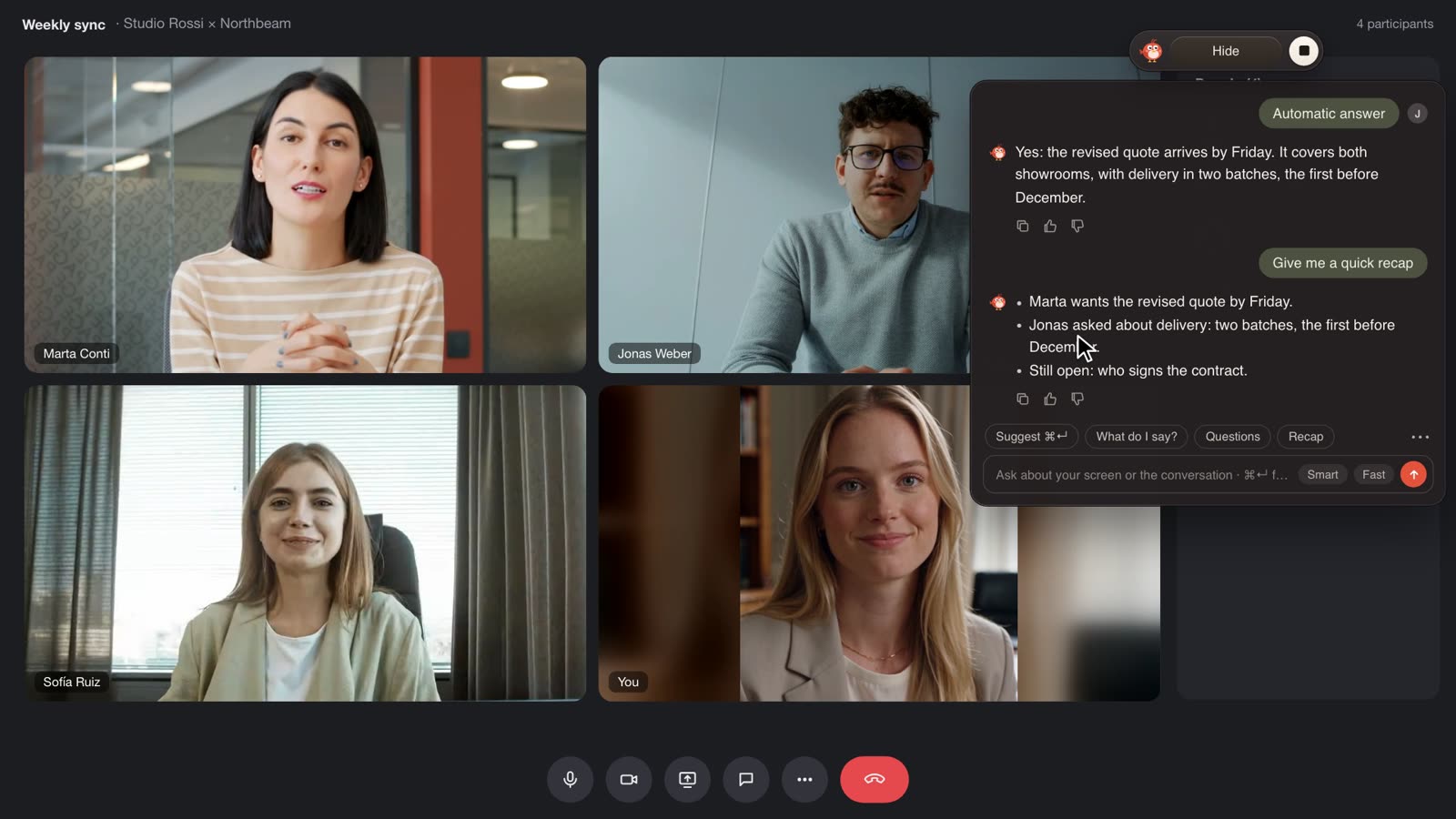
The same model also works offline: the transcript doesn’t depend on the internet, because it all happens on your computer. The model is installed once, the first time you start TellPip, and from then on it works entirely on your computer. You’ll find the details in The first download.
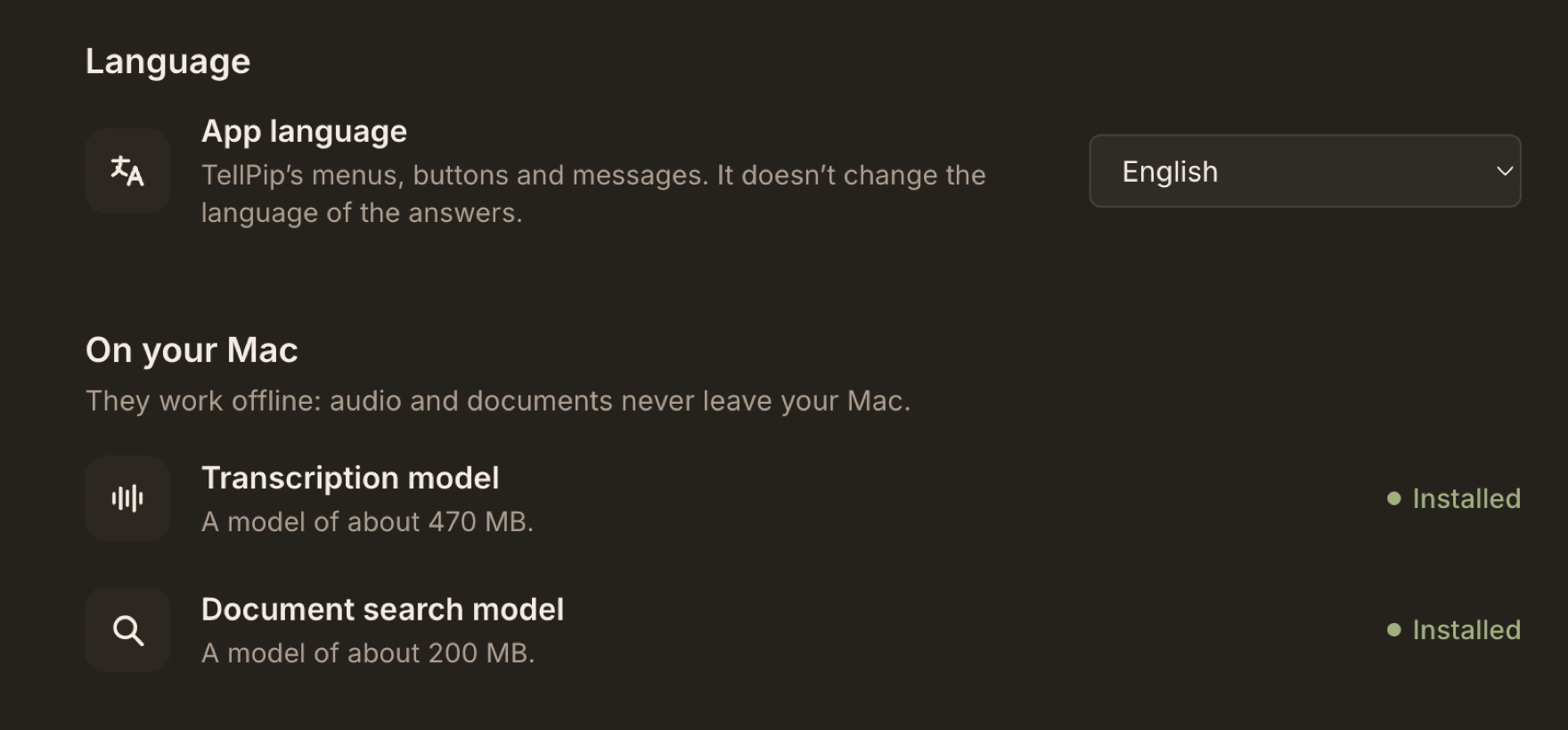
What stays on your computer
Transcription is only the start. Everything TellPip knows about your work is kept on your computer, in a folder that belongs to you:
- Your documents. Reference files and connected folders are read, indexed and searched on your computer. A second local model lets TellPip find passages by meaning, not just by matching words: smart search, entirely on your computer.
- Your sessions. Every call, with its transcript, notes and follow-up email.
- Your notes. Written after each call, following the template of the mode you chose.
- Client memory. What Pip remembers about the people you meet: promises, decisions, open points. One card per person, company or project, kept on your computer.
Because all of this lives on your disk, you are fully in control: you can delete a session, make Pip forget a person or remove everything, at any time. Delete your data explains how.
The essentials for every answer
To give you a great answer in a few seconds, TellPip relies on an advanced AI that works in the cloud. So when you ask Pip something, or when real-time answers recognise the right moment to help, a small, focused package of text leaves your computer:
- your question, or the quick action you chose;
- the recent text of the conversation (always text, never audio);
- from your documents, the passages that matter for that question or, when the mode’s documents are short, their full text, for an even more precise answer;
- a short briefing from client memory, when it’s relevant;
- the instructions of the mode you’re using;
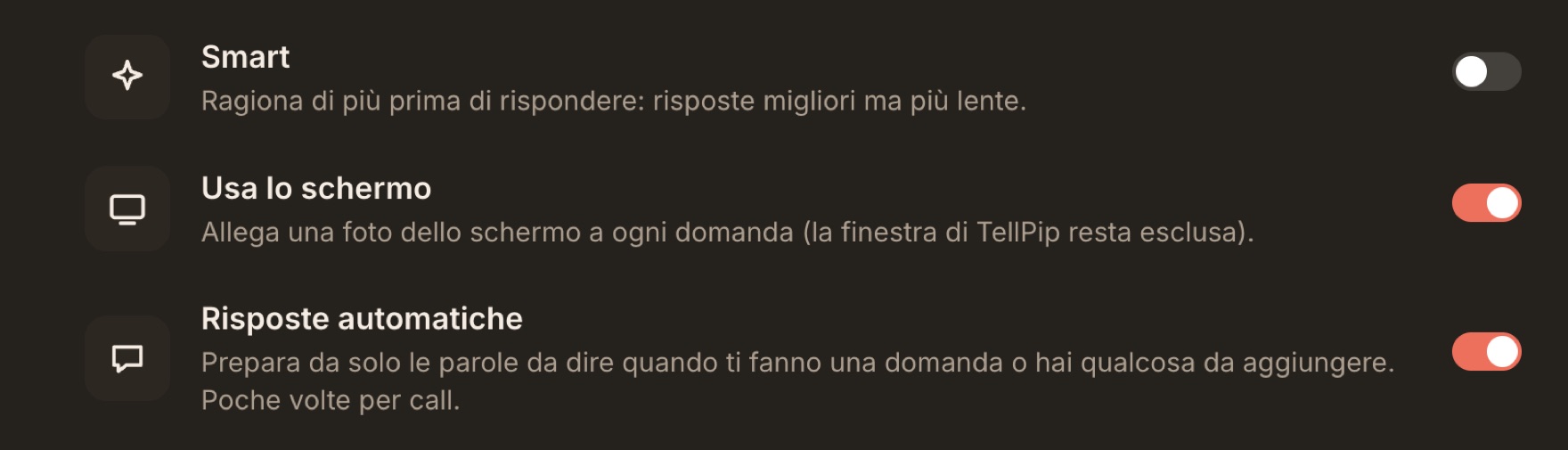
- a screenshot of your screen, if Use the screen is on: it makes answers remarkably relevant, and it’s always your choice.
Nothing else. Not your folders, not your archive of past calls, not your index. The full list is in What stays on your computer, and what the AI needs, and the details are in our privacy policy.
The question, not the archive: the essential context for an excellent answer.
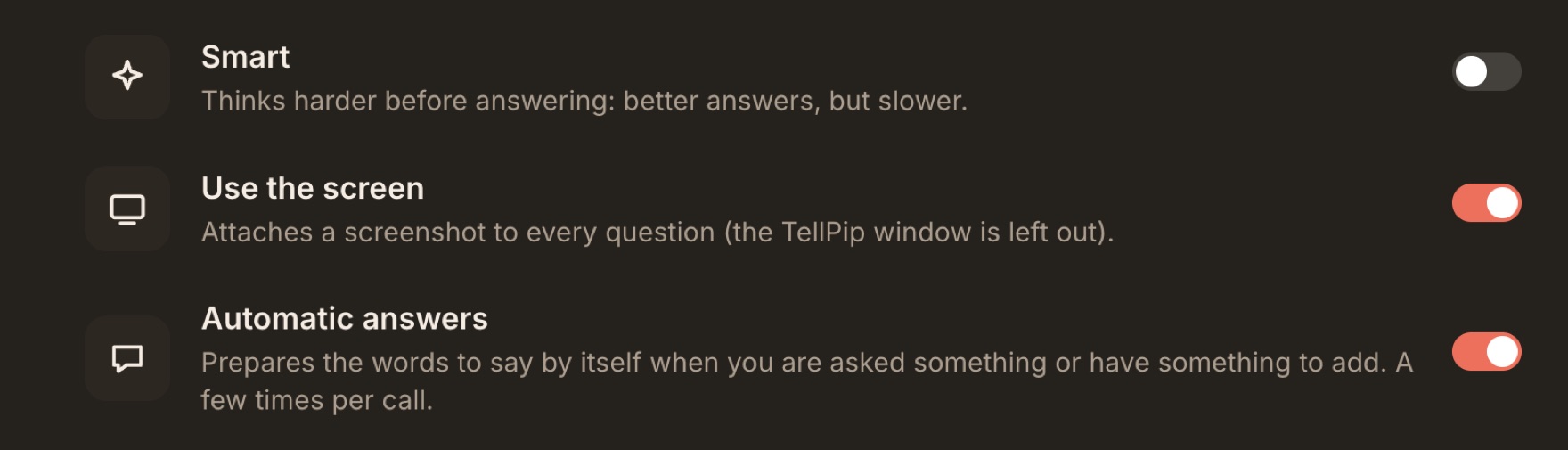
The advantages of the local model
Bringing the intelligence right onto your computer isn’t a technical detail: it’s what makes TellPip different.
- Your voice stays yours. No recording kept by anyone else, because no recording ever leaves your computer.
- Speed. Text appears as people speak, in real time.
- Independent of the internet. Transcription happens on your computer, without going through the network.
- Private by design. Less data in circulation means more peace of mind for you and your clients.
For people who handle confidential information
Lawyers, accountants, financial advisors, doctors: anyone who works with sensitive information knows the value of confidentiality. Every profession has its own rules, and your professional body remains the right place to learn them. TellPip gives you a clear, transparent picture of how your conversations are handled, so you can assess it with peace of mind.
With TellPip, a client’s voice stays on your computer, and your documents are indexed there too. What is needed to write an answer is essential, clearly defined and under your control: you can turn off the screenshot, choose which documents each mode uses, and tell Pip not to remember a specific call. If you work with sensitive files, see how lawyers use TellPip in a practical example.
In short
We believe a meeting assistant should be like a brilliant colleague taking notes next to you. That’s why the most valuable and most personal work happens on your computer, and for each answer only the essential text leaves it, never the audio.
Want to see it for yourself? Download TellPip, turn off your Wi-Fi and start a session: speak, and you’ll see your words appear in the transcript. That’s your computer doing the listening.
Una call è uno dei momenti più riservati della tua giornata di lavoro. Un cliente ti confida un problema che non ha ancora raccontato a nessuno. Un collega ragiona ad alta voce su un affare ancora tutto da definire. Qualcuno pronuncia una cifra che merita di restare tra voi.
Quando abbiamo iniziato a costruire TellPip, la prima domanda non è stata soltanto «quanto possono essere brillanti le risposte?», ma «dove va a finire tutto questo?». La risposta che abbiamo scelto dà forma all’intero prodotto: l’audio delle tue call non lascia mai il tuo computer.
Cosa accade alla voce della tua call
Quando parte una sessione, TellPip ascolta due fonti: il tuo microfono e l’audio che il computer riproduce, cioè le voci degli altri partecipanti. Quel suono confluisce direttamente in un modello vocale che lavora sul tuo computer e trasforma le voci in testo, frase dopo frase, mentre parlate.
L’audio non viene mai caricato, mai archiviato altrove, mai usato per addestrare alcunché. Appena una frase diventa testo, il suono ha concluso il suo compito. Resta la trascrizione, custodita sul tuo computer insieme al resto della sessione.
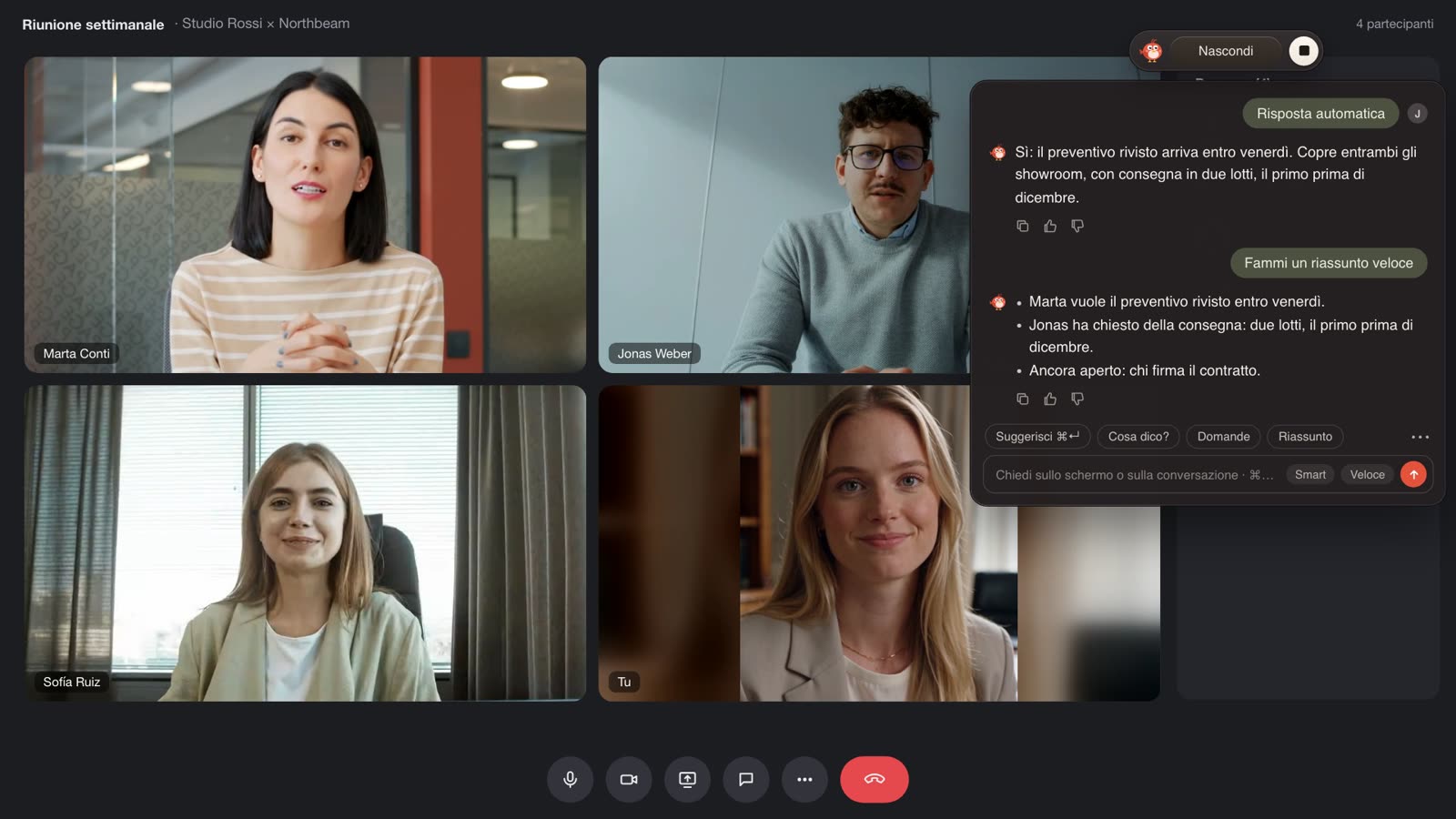
Lo stesso modello lavora anche offline: la trascrizione non dipende da internet, perché avviene tutta sul tuo computer. Il modello si installa una sola volta, al primo avvio di TellPip, e da quel momento lavora interamente sul tuo computer. Trovi i dettagli in Il primo download.
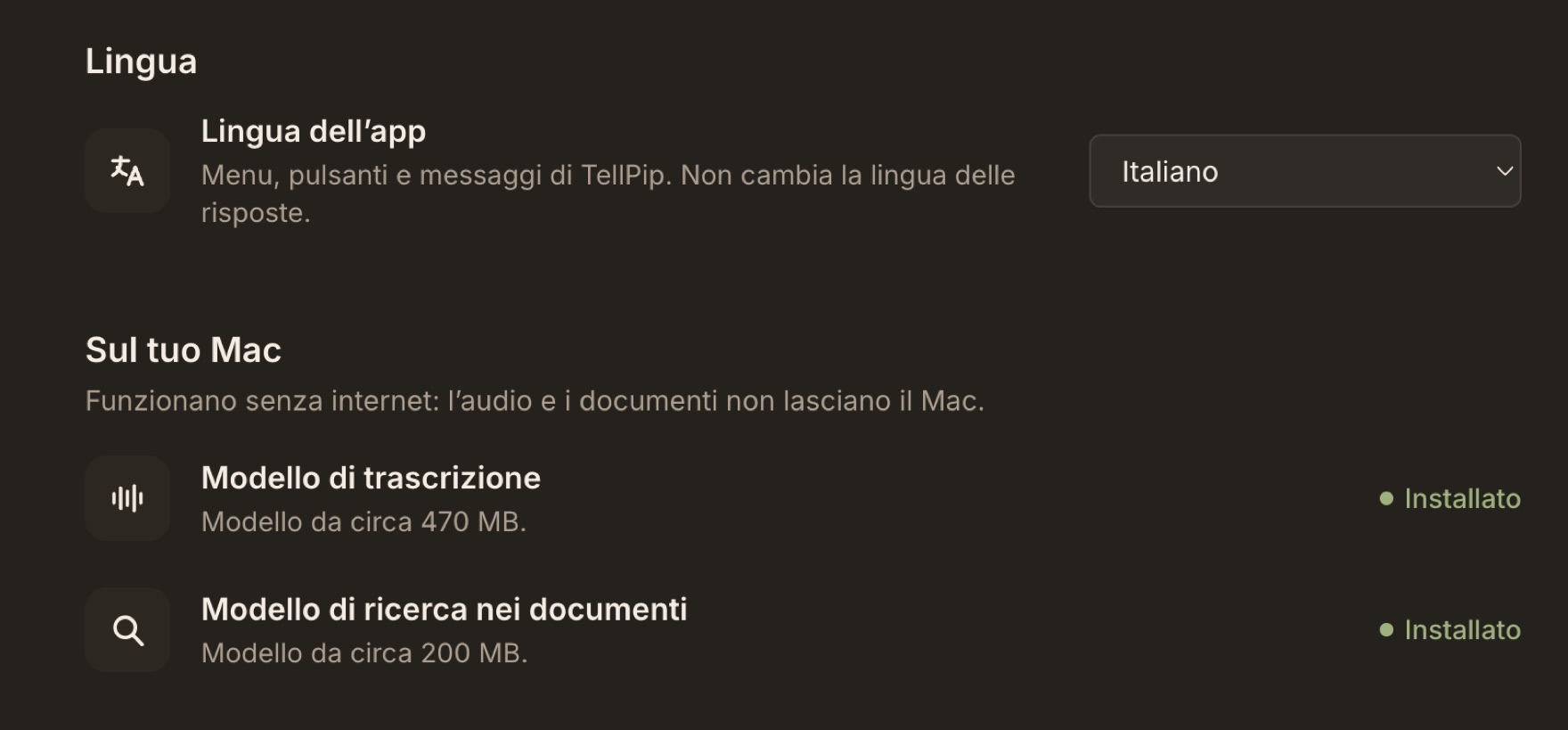
Cosa resta sul tuo computer
La trascrizione è soltanto l’inizio. Tutto ciò che TellPip sa del tuo lavoro è custodito sul tuo computer, in una cartella che appartiene a te:
- I tuoi documenti. I file di riferimento e le cartelle collegate vengono letti, indicizzati e consultati sul tuo computer. Un secondo modello locale permette a TellPip di trovare i passaggi per significato, non soltanto per parole identiche: una ricerca intelligente, interamente in locale.
- Le tue sessioni. Ogni call, con trascrizione, note ed email di follow-up.
- Le tue note. Redatte dopo ogni call, secondo il template della modalità che hai scelto.
- La memoria dei clienti. Ciò che Pip ricorda delle persone che incontri: promesse, decisioni, punti aperti. Una scheda per persona, azienda o progetto, custodita sul tuo computer.
Poiché tutto questo risiede sul tuo disco, il controllo è interamente tuo: puoi cancellare una sessione, far dimenticare una persona o eliminare ogni cosa, in qualsiasi momento. Ti spieghiamo come in Cancellare i tuoi dati.
L’essenziale per ogni risposta
Per offrirti una risposta brillante in pochi secondi, TellPip si affida a un’intelligenza artificiale avanzata che lavora nel cloud. Per questo, quando chiedi qualcosa a Pip, o quando le risposte in tempo reale riconoscono il momento giusto per aiutarti, dal tuo computer parte un pacchetto di testo piccolo e mirato:
- la tua domanda, o l’azione rapida che hai scelto;
- il testo recente della conversazione (sempre testo, mai audio);
- dai tuoi documenti, i passaggi utili a quella domanda oppure, quando i documenti della modalità sono brevi, il loro testo completo, per una risposta ancora più precisa;
- un breve promemoria dalla memoria dei clienti, quando serve;
- le istruzioni della modalità che stai usando;
- uno screenshot dello schermo, se Usa lo schermo è attivo: rende le risposte straordinariamente pertinenti, ed è sempre una tua scelta.
Nient’altro. Non le tue cartelle, non l’archivio delle call passate, non il tuo indice. L’elenco completo è in Cosa resta sul tuo computer, e cosa serve all’AI, i dettagli nella nostra informativa privacy.
La domanda, non l’archivio: il contesto essenziale per una risposta eccellente.
I vantaggi del modello locale
Portare l’intelligenza direttamente sul tuo computer non è un dettaglio tecnico: è ciò che rende TellPip diverso.
- La tua voce resta tua. Nessuna registrazione custodita da altri, perché nessuna registrazione lascia mai il tuo computer.
- Velocità. Il testo compare mentre le persone parlano, in tempo reale.
- Indipendente da internet. La trascrizione avviene sul tuo computer, senza passare dalla rete.
- Riservatezza per progettazione. Meno dati in circolazione significa più tranquillità per te e per i tuoi clienti.
Per chi custodisce informazioni riservate
Avvocati, commercialisti, consulenti finanziari, medici: chi lavora con informazioni delicate conosce bene il valore della riservatezza. Ogni professione ha le proprie regole, e il riferimento giusto per conoscerle resta il tuo ordine professionale. TellPip ti offre un quadro chiaro e trasparente di come vengono trattate le tue conversazioni, così puoi valutarlo con serenità.
Con TellPip la voce di un cliente resta sul tuo computer, e anche i documenti vengono indicizzati lì. Ciò che serve per formulare una risposta è essenziale, chiaramente definito e sotto il tuo controllo: puoi disattivare lo screenshot, scegliere quali documenti usa ogni modalità e chiedere a Pip di non ricordare una call specifica. Se lavori con fascicoli delicati, scopri come gli avvocati usano TellPip in un esempio concreto.
In sintesi
Crediamo che un assistente per le riunioni debba essere come un collega brillante che prende appunti accanto a te. Per questo il lavoro più prezioso e più personale avviene sul tuo computer, e per ogni risposta ne esce soltanto il testo essenziale, mai l’audio.
Vuoi vederlo con i tuoi occhi? Scarica TellPip, spegni il Wi-Fi e avvia una sessione: parla, e vedrai le tue parole comparire nella trascrizione. È il tuo computer che ascolta.