 TellPip
Vocabulary: get names right
Teach TellPip the names and terms that matter to you, and watch them appear correctly spelled, live.
Updated 30 October 2026
Contents
Why a vocabulary
Client names, product names, acronyms and technical terms are the most important words in any call: they appear in your notes, in your follow-up emails and in your client memory. With the vocabulary you can be sure they are always written exactly the way you want.
The vocabulary tells TellPip how these words are spelled, so the transcript, the answers, the notes and the client memory are ever more precise.
Add your terms
- Open Settings → Audio & language → Vocabulary.
- Write one term per line.
- If you know a pronunciation or a variant that could cause confusion, write it as Name = how it's heard.
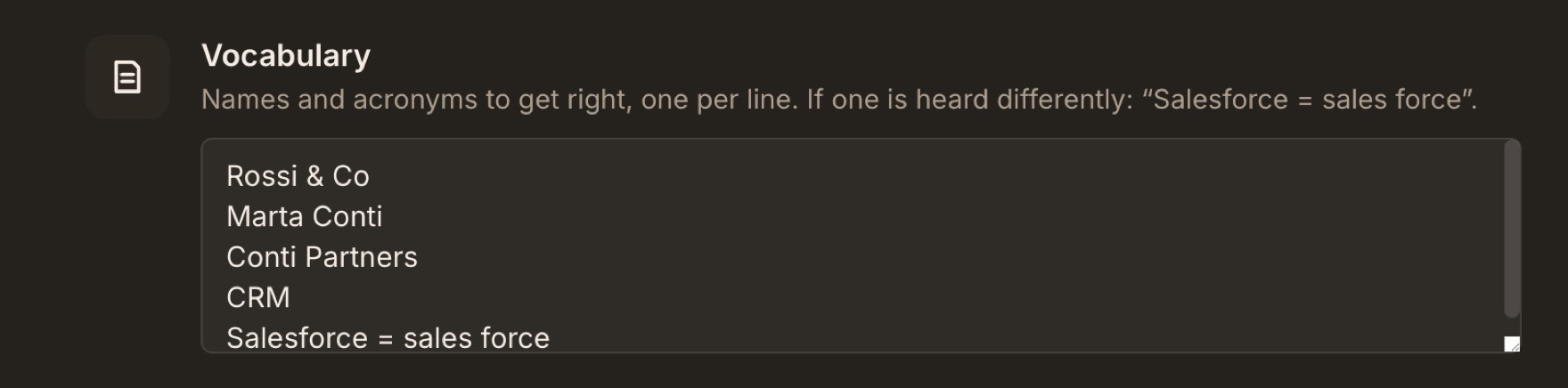
An example list
Here is what the vocabulary of a small consultancy might look like:
Studio BianchiFerrettiSalesforce = sales forceGDPRNovaCloud = nova cloudKubernetes- Plain lines tell TellPip how a name is spelled.
- Lines with = also give the variant to watch out for, so TellPip always brings it back to the right spelling.
- Write surnames and company names exactly as they are spelled, capital letters included.
TellPip also learns on its own
- It picks up terms from your reference files, your connected sources and your past calls.
- After a call, the names you confirm in Refine notes and memory are added to the vocabulary automatically.
So the vocabulary grows by itself, call after call, and you can focus on the names TellPip meets for the first time: a new client, a colleague, a project code name.
The vocabulary at work during the call
During the call, TellPip compares the transcript with your vocabulary in real time and brings names back to the right spelling. It works only on the text, never on the audio.
In the transcript, hover over a corrected word: Heard as shows you the original version. It's the easiest way to see the vocabulary at work.
For corrections that always hit the mark, prefer specific entries: full names, precise acronyms and variants that are clearly different from everyday speech. You can refine or remove an entry at any time.
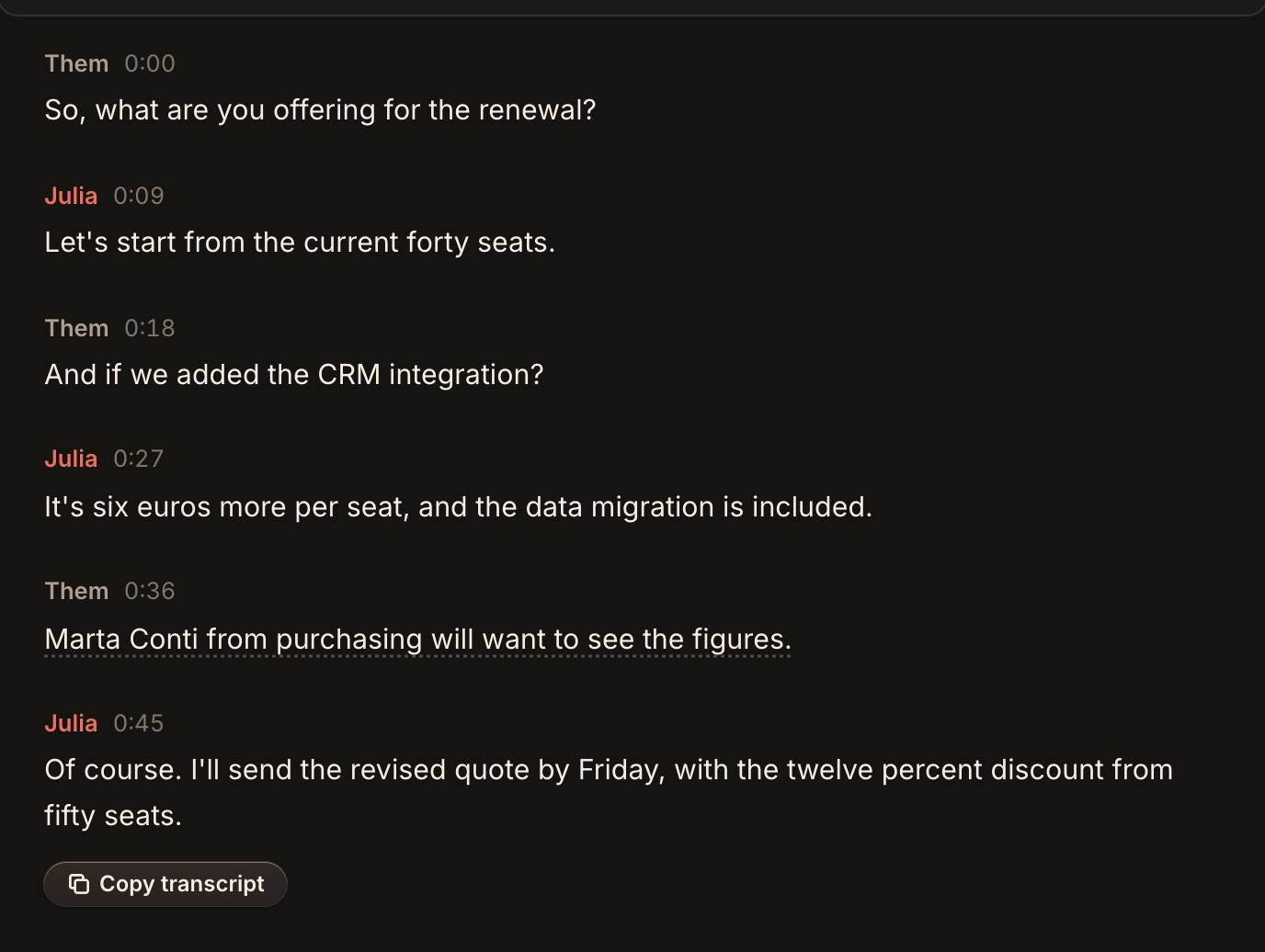
Where the vocabulary helps
- The transcript: names appear spelled correctly, ready to search and copy.
- Call titles: each session's name also has the names in the right form, so you find every call first time.
- The answers: when Pip mentions a client or a product it uses the right name, and finds the relevant passages in your documents precisely.
- The notes and the follow-up email: the names in your vocabulary are spelled the right way, ready to send.
- The client memory: every person has their own card, unique and always recognised.
Ideas by profession
Lawyers
The names of clients and counterparts, of the courts and authorities you work with, the abbreviations you use for laws and contracts.
Accountants
The names of client companies, of taxes and tax forms, and the acronyms of the software you use.
Sales teams
The names of products and plans, of competitors and of the people in the client companies you are working with.
Tips
- Keep in the list the names and terms that really come up: a focused vocabulary works best.
- To perfect a name, add a line with = and the variant you see in the transcript.
- Remove names you no longer use, to keep the vocabulary lean.
Next steps
Perché un vocabolario
Nomi di clienti, nomi di prodotti, sigle e termini tecnici sono le parole più importanti di ogni call: compaiono nelle note, nelle email di follow-up e nella memoria dei clienti. Con il vocabolario hai la certezza che siano sempre scritte esattamente come vuoi tu.
Il vocabolario indica a TellPip la grafia corretta di queste parole, così trascrizione, risposte, note e memoria dei clienti sono sempre più precise.
Aggiungi i tuoi termini
- Apri Impostazioni → Audio e lingua → Vocabolario.
- Scrivi un termine per riga.
- Se conosci una pronuncia o una variante che potrebbe confondere, scrivila nel formato Nome = come si sente.
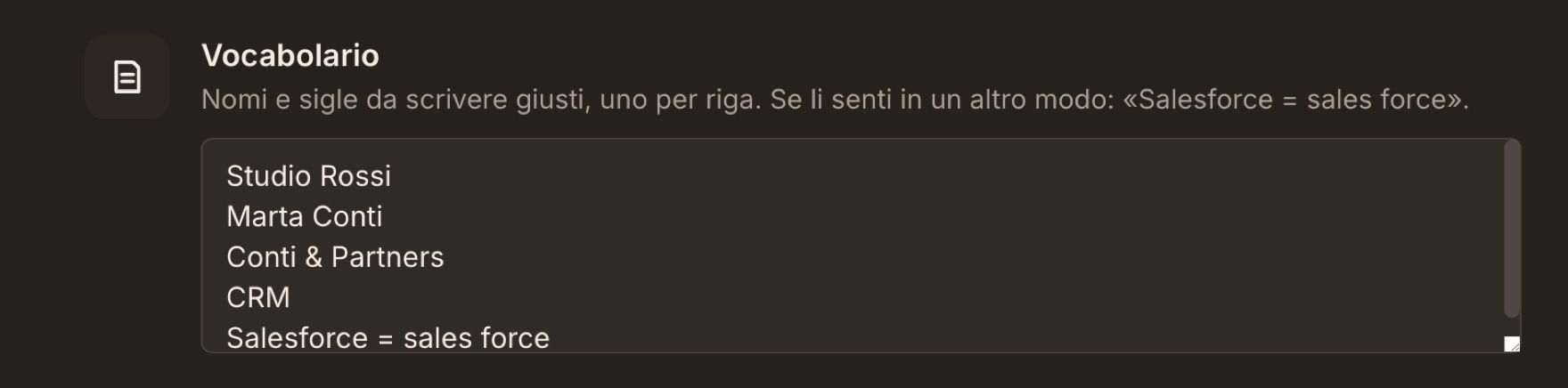
Un esempio di elenco
Ecco come potrebbe presentarsi il vocabolario di una piccola società di consulenza:
Studio BianchiFerrettiSalesforce = sales forceGDPRNovaCloud = nova cloudKubernetes- Le righe semplici indicano a TellPip come si scrive un nome.
- Le righe con = indicano anche la variante a cui prestare attenzione, così TellPip la riconduce sempre alla grafia corretta.
- Scrivi cognomi e nomi di aziende esattamente come si scrivono, maiuscole comprese.
TellPip impara anche in autonomia
- Raccoglie i termini dai tuoi file di riferimento, dalle fonti collegate e dalle call passate.
- Dopo una call, i nomi che confermi in Affina note e memoria vengono aggiunti automaticamente al vocabolario.
Il vocabolario cresce quindi da solo, call dopo call, e tu puoi concentrarti sui nomi che TellPip incontra per la prima volta: un cliente nuovo, un collega, il nome in codice di un progetto.
Il vocabolario in azione durante la call
Durante la call, TellPip confronta in tempo reale la trascrizione con il tuo vocabolario e allinea i nomi alla grafia corretta. Lo fa lavorando esclusivamente sul testo, mai sull’audio.
Nella trascrizione, passa il mouse su una parola allineata: Sentito come ti mostra la versione originale. È il modo più semplice per vedere il vocabolario al lavoro.
Per allineamenti sempre mirati, preferisci voci specifiche: nomi completi, sigle precise e varianti ben distinte dal parlato comune. Puoi affinare o rimuovere una voce in qualsiasi momento.
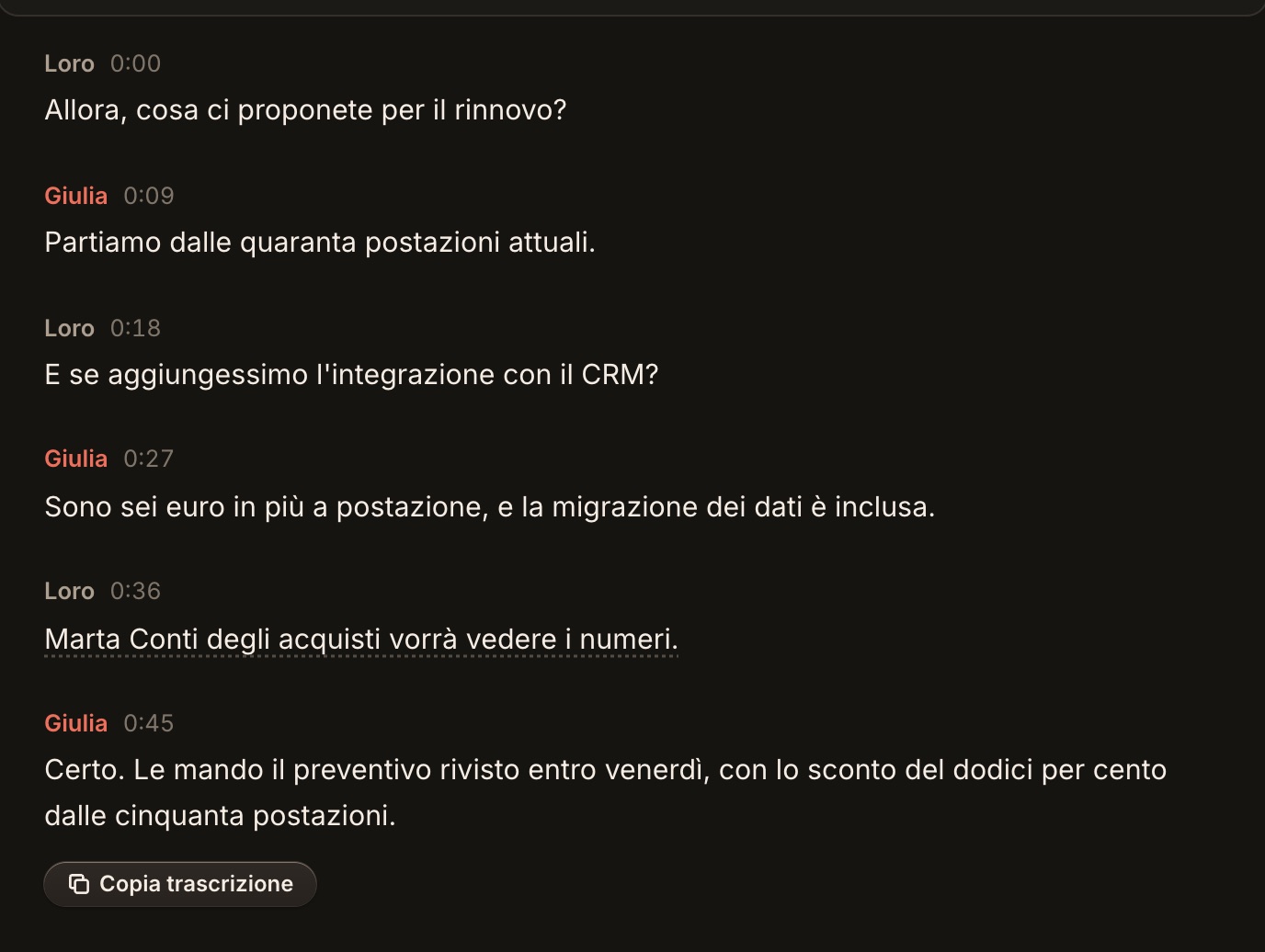
Dove aiuta il vocabolario
- La trascrizione: i nomi compaiono scritti correttamente, pronti da cercare e da copiare.
- I titoli delle call: anche il nome di ogni sessione riporta i nomi nella forma giusta, così ritrovi ogni call al primo colpo.
- Le risposte: quando Pip cita un cliente o un prodotto usa il nome giusto, e trova con precisione i passaggi pertinenti nei tuoi documenti.
- Le note e l’email di follow-up: i nomi del vocabolario sono scritti nella forma giusta, pronti da inviare.
- La memoria dei clienti: ogni persona ha la sua scheda, unica e sempre riconosciuta.
Idee per professione
Avvocati
I nomi dei clienti e delle controparti, dei tribunali e degli enti con cui lavori, le sigle che usi per leggi e contratti.
Commercialisti
I nomi delle aziende clienti, delle imposte e dei modelli fiscali, e le sigle dei programmi che usi.
Team commerciali
I nomi di prodotti e piani, dei concorrenti e delle persone nelle aziende clienti che stai seguendo.
Consigli
- Tieni nell’elenco i nomi e i termini che ricorrono davvero: un vocabolario mirato è il più efficace.
- Per perfezionare un nome, aggiungi una riga con = e la variante che vedi nella trascrizione.
- Rimuovi i nomi che non usi più, per un vocabolario sempre essenziale.
Prossimi passi
Related articles
Need anything else? We’re here for you.
Write to us