 TellPip
Meet Pip, the little bird that tells you what to say
Why our assistant is a small bird and not a robot, what a whisper is for, and the principles that make Pip an ally you can rely on.
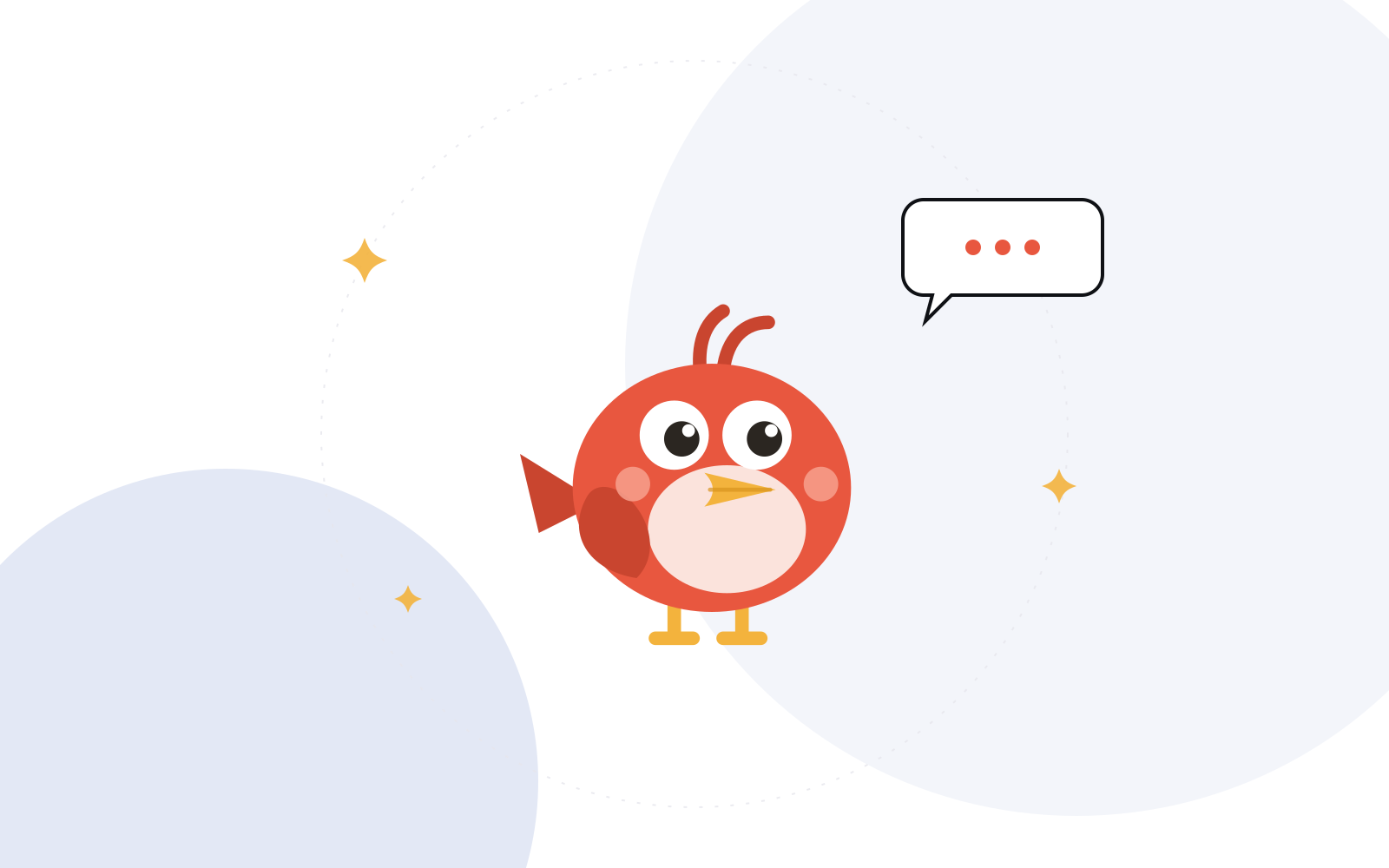
Every product has a voice, whether its makers choose one or not. Many AI tools end up resembling an all-too-confident stranger: long answers, big promises, a tone that is always a little over the top.
We wanted the exact opposite. Something small, quick and always on your side. Something that leans over during a call and says exactly enough. So we gave TellPip a character, and we called it Pip.
A whisper, not a script
Think of the best colleague you’ve ever had beside you in a meeting. They didn’t take over. They didn’t hand you a page to read aloud. At the right moment they slid a note across the table: “the deadline is the 16th”, “ask about the second site”, “you promised them the draft”. One line, and you carried on in your own words.
Pip does exactly that. Answers in TellPip are short by design: you take them in at a glance while the other person is still talking, then you say them your way. A script makes you sound like someone else. A whisper helps you be yourself, on your best day.
Pip whispers. You speak.
Why a bird
The name comes from a saying we all know: when you don’t want to reveal where you heard something, you say a little bird told me. Italian has the same idea: me l’ha detto un uccellino. A small bird that knows things and passes them on quietly felt perfect for an assistant that lives at the edge of your screen.
So the product became TellPip: the bird that tells you. And “pip” is also the short, light sound a small bird makes. A chirp, not a speech.
A bird also says something about proportions. Pip is not a big eye watching your work: it is discreet, it works from your computer and it is there only for you, not for anyone else in the call.
Psst…
If Pip has a word, it’s Psst…. It’s the sound you use to get someone’s attention without interrupting the room, and in TellPip it’s everywhere.
- The Psst… button on the control bar opens the chat and starts listening. See your first call.
- Memory recalls open with it: Psst… last time with a client, followed by what you said to each other.
- Small hints and tips around the app, and on this site, start the same way.
It’s a tiny detail, but it sets the tone: Pip steps in only to help, and only for a moment.
How Pip talks
Pip’s personality is pared back on purpose. Three traits guide every message we write in the app:
Brief
Pip says the useful thing straight away. No preamble, no “Great question!”. And when there is nothing to add, it says so gracefully: “Nothing to add right now.”
Warm, a little playful
Pip is friendly, and sometimes a bit cheeky in the details: an empty screen, a completed download, a tip. Never during the serious part of your work, and never at the expense of clarity.
Reliable
Pip shows where every answer comes from, sticks to your documents and your memory, and tells you when a piece of information isn’t there. A bird that sings the right song is worth more than a thousand words.
Where you’ll meet Pip
Pip isn’t a mascot stuck in a corner: it turns up exactly when a great colleague would.
- When a call starts. Open the chat and Pip confirms it’s listening, and that it can see your screen and the conversation. Then it stays quiet until you need it.
- When you ask. Press Suggest, or one of the quick actions like What do I say?, Questions or Recap, and the answer arrives in a few lines. More in ask Pip.
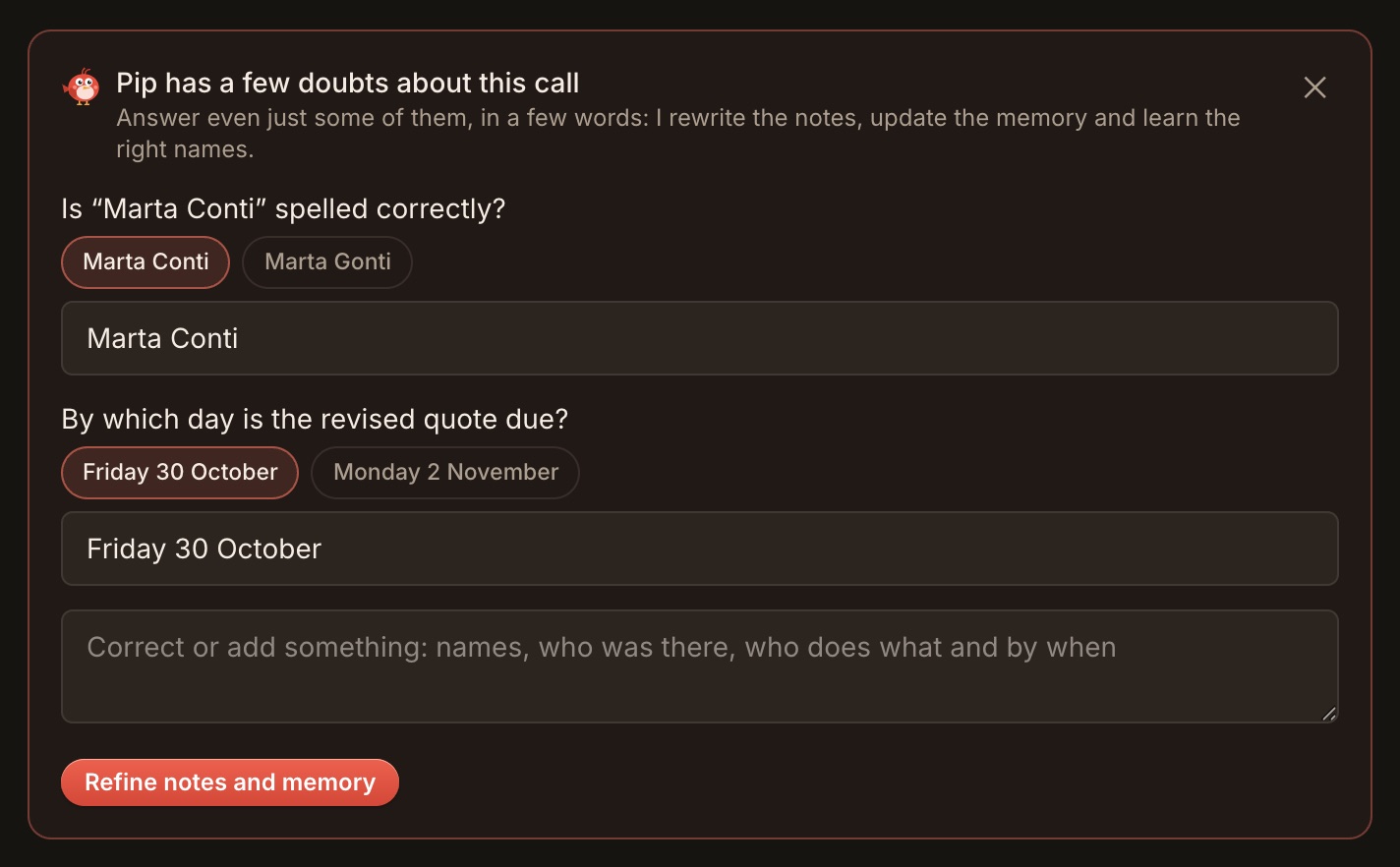
- When the call ends. The notes are ready in moments and, to make them even more accurate, Pip may ask you to quickly confirm a name or a decision.
- When you want to update what it knows. Memory already learns from your calls on its own, but you can always give it extra pointers by writing “remember that…” or “forget…” in the chat. And on the Memory page you can correct a memory, mark a commitment as done or have a person forgotten. See client memory.
Everywhere else, it quietly steps aside. That’s part of its character too.
What Pip will never do
A character is also defined by its principles. These are Pip’s:
- Join your meeting. No bot, no participant name, no invitation. Pip stays on your computer.
- Speak for you. Pip suggests. What you say, and how, is always your decision.
- Send the sound of your call away. Transcription happens on your computer. More in why TellPip transcribes on your computer.
- Pretend to know. When the answer isn’t in your material or the conversation, Pip tells you clearly instead of making one up.
- Remember what you asked it to forget. You can tell Pip not to remember a call, forget a person, or wipe the memory entirely.
The full version of these principles is in Discreet, not deceptive.
Say hello to Pip
The best way to meet Pip is in a real call. Download TellPip, sign in with your email, pick a mode for your next call and press Psst… when you need a hand. We’d love to hear how it went: write to us.
Ogni prodotto ha una voce, che chi lo costruisce la scelga o no. Molti strumenti di AI finiscono per somigliare a uno sconosciuto fin troppo sicuro di sé: risposte lunghe, grandi promesse, un tono sempre un filo sopra le righe.
Noi volevamo l’esatto opposto. Qualcosa di piccolo, rapido e sempre dalla tua parte. Qualcosa che durante una call si avvicina e dice esattamente quanto basta. Così abbiamo dato a TellPip un carattere, e lo abbiamo chiamato Pip.
Un sussurro, non un copione
Pensa al miglior collega che tu abbia mai avuto accanto in riunione. Non prendeva il controllo. Non ti passava un foglio da leggere ad alta voce. Al momento giusto ti allungava un bigliettino: «la scadenza è il 16», «chiedi della seconda sede», «gli avevi promesso la bozza». Una riga, e tu proseguivi con parole tue.
Pip fa esattamente questo. In TellPip le risposte sono brevi per scelta: si colgono con un’occhiata mentre l’altro sta ancora parlando, poi le esprimi a modo tuo. Un copione ti fa sembrare qualcun altro. Un sussurro ti aiuta a essere te stesso, nella tua giornata migliore.
Pip sussurra. Tu parli.
Perché un uccellino
Il nome nasce da un modo di dire che conosciamo tutti: quando non vuoi rivelare da dove arriva un’informazione, dici «me l’ha detto un uccellino». In inglese è lo stesso: a little bird told me. Un uccellino che sa le cose e te le passa sottovoce ci è sembrato perfetto per un assistente che vive sul bordo del tuo schermo.
Così il prodotto è diventato TellPip: l’uccellino che te lo dice. E «pip» è anche il verso breve e leggero di un uccellino. Un cinguettio, non un discorso.
Un uccellino racconta qualcosa anche sulle proporzioni. Pip non è un grande occhio che osserva il tuo lavoro: è discreto, lavora dal tuo computer ed è lì solo per te, non per gli altri nella call.
Psst…
Se Pip ha una parola, è Psst…. È il suono con cui attiri l’attenzione di qualcuno senza interrompere la stanza, e in TellPip è ovunque.
- Il tasto Psst… sulla barra apre la chat e avvia l’ascolto. Scopri la tua prima call.
- I richiami della memoria iniziano così: Psst… l’ultima volta con un cliente, seguito da ciò che vi siete detti.
- I piccoli suggerimenti nell’app, e su questo sito, cominciano allo stesso modo.
È un dettaglio minuscolo, ma definisce il tono: Pip interviene solo per aiutarti, e solo per un istante.
Come parla Pip
La personalità di Pip è essenziale per scelta. Tre tratti guidano ogni messaggio che scriviamo nell’app:
Breve
Pip dice subito la cosa utile. Niente preamboli, niente «Ottima domanda!». E quando non c’è nulla da aggiungere, lo dice con eleganza: «Niente da aggiungere per ora.»
Caldo, un po’ giocoso
Pip è cordiale, e a volte un po’ sfrontato nei dettagli: uno schermo vuoto, un download completato, un consiglio. Mai nella parte seria del tuo lavoro, e mai a scapito della chiarezza.
Affidabile
Pip indica da dove arriva ogni risposta, si attiene ai tuoi documenti e alla tua memoria, e te lo dice quando un’informazione non c’è. Un uccellino che canta la canzone giusta vale più di mille parole.
Dove lo incontri
Pip non è una mascotte relegata in un angolo: si fa vivo esattamente quando lo farebbe un ottimo collega.
- Quando inizia una call. Apri la chat e Pip ti conferma che sta ascoltando, che vede il tuo schermo e la conversazione. Poi resta in silenzio finché non ti serve.
- Quando chiedi. Premi Suggerisci, o una delle azioni rapide come Cosa dico?, Domande o Riassunto, e la risposta arriva in poche righe. Approfondisci in chiedi a Pip.
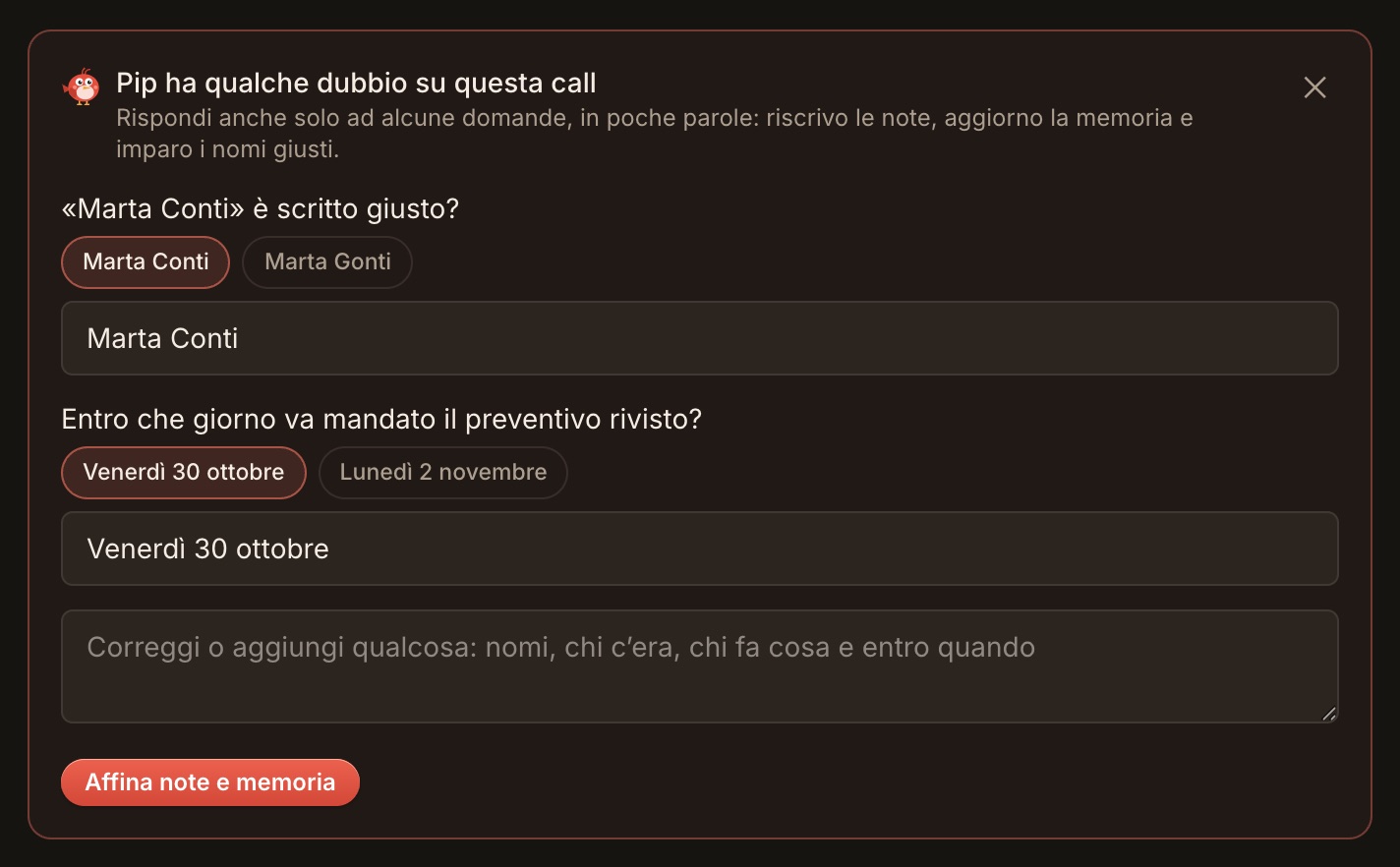
- Quando la call finisce. Le note sono pronte in pochi istanti e, per renderle ancora più accurate, Pip può chiederti una rapida conferma su un nome o una decisione.
- Quando vuoi aggiornare ciò che sa. La memoria impara già da sola dalle call, ma puoi sempre dare indicazioni in più scrivendo in chat «ricorda che…» o «dimentica…». E nella pagina Memoria correggi un ricordo, segni un impegno come fatto o fai dimenticare una persona. Scopri la memoria dei clienti.
Per il resto, si fa da parte con discrezione. Anche questo è parte del suo carattere.
Cosa Pip non farà mai
Un carattere si definisce anche attraverso i suoi principi. Questi sono quelli di Pip:
- Entrare nella tua riunione. Nessun bot, nessun nome tra i partecipanti, nessun invito. Pip resta sul tuo computer.
- Parlare al posto tuo. Pip suggerisce. Cosa dire, e come, lo decidi sempre tu.
- Spedire altrove il suono della tua call. La trascrizione avviene sul tuo computer. Approfondisci in perché TellPip trascrive sul tuo computer.
- Fingere di sapere. Se la risposta non è nel tuo materiale o nella conversazione, Pip te lo dice con chiarezza invece di inventarla.
- Ricordare ciò che gli hai chiesto di dimenticare. Puoi dire a Pip di non ricordare una call, dimenticare una persona o cancellare tutta la memoria.
La versione completa di questi principi è in Discreto, non ingannevole.
Fai un saluto a Pip
Il modo migliore per conoscere Pip è una call vera. Scarica TellPip, entra con la tua email, scegli una modalità per la prossima call in agenda e premi Psst… quando ti serve una mano. Ci piacerà sapere come è andata: scrivici.